Free Merge PDF Online
Free Merge PDF Online is a simple and fast tool that lets you combine multiple PDF files into one clean document. Just upload your PDFs, arrange the order, and merge instantly. No installs, no signup — secure, easy, and perfect for students, professionals, and everyday users.
Share on Social Media:
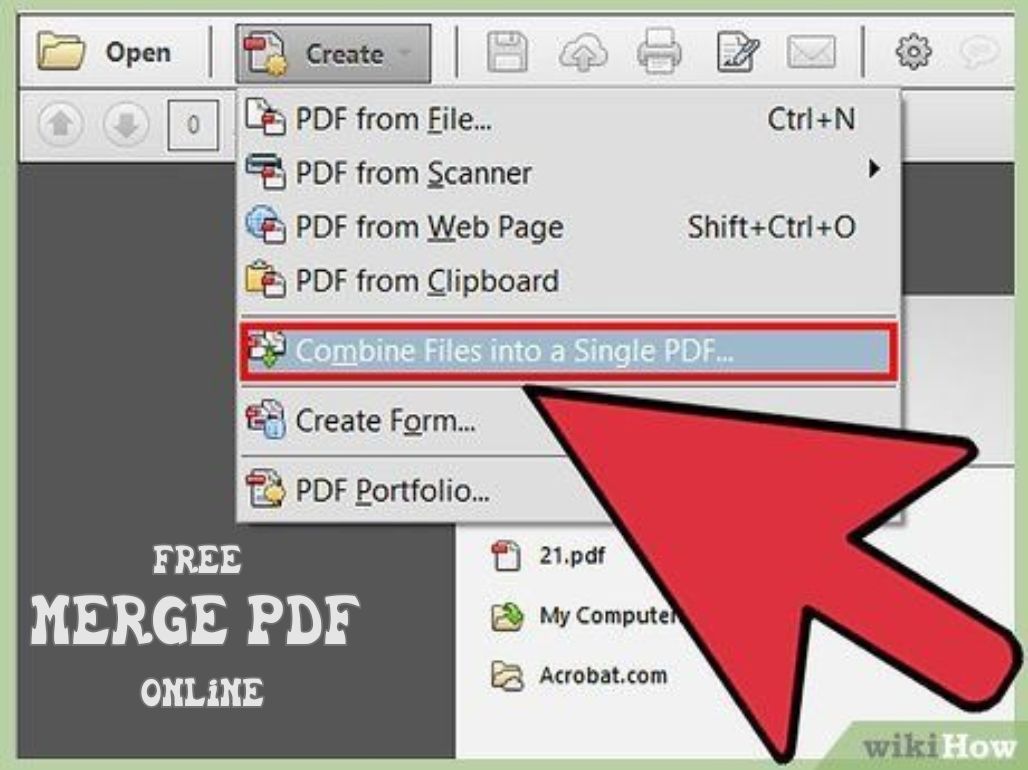
Free PDF Merger - PDFs in a Breeze
Having numerous PDF files is a daunting task, particularly when you are required to sort reports, splicing pages together, compiling a project document or consolidating receipts in a single tidy file. Attaching a number of files is not appealing, and tracking a number of files may reduce your efficiency. At this point, a Free Merge PDF Online tool will come in handy.
The online merge PDF tool enables you to merge several PDF documents into a single, well-organized and professional-looking file in a few seconds. No installation of software, no account creation, no complex procedures. Since it is an entirely browser-based application, you can combine PDF files on any of the devices: Windows, Mac, Linux, iPhone, and Android.
Being a student and assembling assignments, a business person, writing a proposal, or a person in general, cleaning up digital documents, this free merge PDF online tool helps to make your workflow easier. It not only saves you time but also preserves your formatting and gives you a clean and unified PDF every time.
The Use of our Free Online Merge PDF Tool
We have developed a tool that is quick and easy. It is a matter of seconds to merge PDFs by doing the following:
Upload Your PDF Files
You can use drag and drop to upload your PDF files into the upload box, or simply click on select files, which will bring up a window where you can choose files.
Benefit: no registration or technical proceeding necessary- merge as soon as possible.
Arrange Your Files in Order
Once uploaded, there will be thumbnails of every PDF. Drag them to place the documents in a way you want them to be.
Benefit: Visual organization makes your end merged file perfectly structured.
Click "Merge PDF"
Click on the merge button to merge all the documents.
Benefit: Fast cloud computing provides immediate outcomes- there is no waiting.
Download Your Combined PDF
Your newly combined PDF document will be availed in seconds. Click on download to save to the device.
Benefit: It is a safe process, no watermarks and free forever.
Major Characteristics and Advantages of Our PDF Merger
Our Free Merge PDF Online tool is designed in such a way that it presents a smooth experience to you. Here's what makes it stand out:
- Merging Lightning-Fast and Accurate
Our high-tech system takes a few seconds to process files without altering the original format of your document, quality, fonts and layout.
- Completely Free & Unlimited
Combine all PDF files as many times as you wish.
- No data tracking or storage
This renders it an online web utility that is privacy-safe.
- Works on any computer or Web Browser
Compatible with:
- Windows
- macOS
- Linux
- iOS / Android
- Chrome, Firefox, Safari and Edge, etc.
It all occurs in your web browser without the need to install any massive software, any plug-in, or create an account.
The Reason to Use Our free merge PDF online tool?
Online utilities usually have barriers hidden in the form of advertisements, slowness, jumbled pages, and constrained free trials. OnlineToolsDesk.com is all about delivering a fast, reliable and clean experience without gimmicks.
This is the reason why users all around the world prefer our PDF merge tool:
Neat & Interruption-Free Interface
No headache-inducing pop-ups and bewildering menus, but a very straightforward, programmer-friendly working environment.
- Privacy-First Architecture
- Your files are yours alone. We do not store, scan or track them.
- High-Speed Cloud Processing
- The PDF files are merged fast, even the large ones, thus saving you time.
- Free, indeed, and free indeed, And free No end.
- No watermarks. No account. No hidden paywalls ever.
Such dedication to simplicity, transparency and trust has seen our Free Merge PDF Online tool become among the most reliable PDF solutions on the web.
Related Tools & Resources
Increase the efficiency of your document process using the following tools:
- Compress PDF: Make the files small in order to share and email them.
- Word Converter PDF: Converter Word to PDFs and edit the documents.
To get more in-depth information on PDF technology, refer to the official ISO PDF documentation.
Conclusive Final: Why Our Free Merge PDF Online Tool Is The Best Choice
In case you are in a hurry and want to merge multiple PDF files safely and with no frustration, then you can do it with our Free Merge PDF Online tool, which will give you all that. Instant processing, unlimited free use, airtight privacy, and a clean interface will ensure that you come away with a smooth experience all the way through.
Be it in sorting the reports, adding receipts, creating study material or other important documents, this tool has guaranteed that your PDFs are put together correctly and in a professional manner- always.
Please test it and go now in OnlineToolsDesk.com and make your document workflow easier, using one of the most reliable PDF tools available on the Internet.